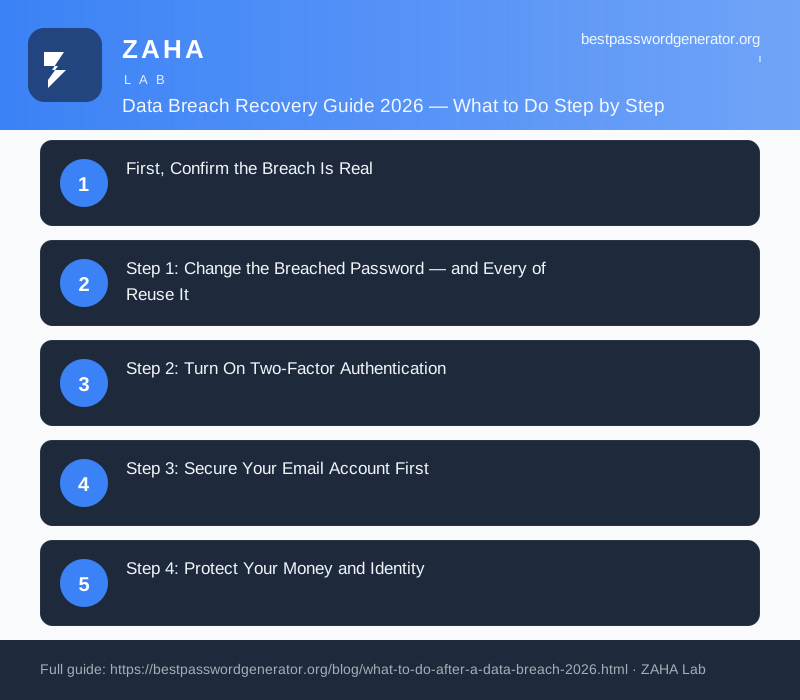
🚨 Data Breach Recovery Guide 2026: What to Do Step by Step
First, Confirm the Breach Is Real
Before you do anything, make sure the alert itself isn't a scam. Criminals love to send fake "your account has been breached, click here to secure it" emails that lead to credential-harvesting pages. A genuine breach notification will never ask you to log in through a link in the email.
To confirm independently, type your email address into Have I Been Pwned (haveibeenpwned.com), the free breach-tracking service maintained by security researcher Troy Hunt. It will tell you which breaches your address has appeared in and what data was exposed, passwords, payment cards, addresses, or just an email. If you received the alert from a company directly, navigate to that company's website by typing the address yourself rather than clicking any link.
Once you know the breach is real, identify exactly what leaked. Your response is very different depending on whether the breach exposed a single forum password versus your Social Security number and credit card.
Step 1: Change the Breached Password, and Every Reuse of It
This is the single most important step, and it's the one most people get half-right. Yes, change the password on the account that was breached. But the real danger is password reuse. Attackers take the leaked email-and-password pair and feed it into automated tools that try it against hundreds of other sites, banking, email, shopping, social media. This technique, called credential stuffing, is how one minor breach cascades into a dozen account takeovers.
So change the password everywhere you used the same one or a close variation. Each replacement should be long, random, and unique, not "Summer2026!" with a number bumped up. Our free password generator creates cryptographically strong passwords instantly, entirely in your browser, with nothing transmitted anywhere.
If you have dozens of accounts sharing one password, doing this by hand is painful, which is exactly why a password manager matters. A tool like NordPass generates a unique password for every account, stores them in an encrypted vault, and flags any login that reuses a leaked credential, so you're never doing this cleanup blind again.
Step 2: Turn On Two-Factor Authentication
A stolen password is far less useful to an attacker if your account also requires a second factor. Microsoft's security research has repeatedly found that multi-factor authentication blocks more than 99% of automated account-takeover attempts. Turn it on for the breached account first, then for your highest-value accounts.
Not all second factors are equal. In order of strength:
| 2FA Method | Security | Notes |
|---|---|---|
| Hardware security key (FIDO2) | Strongest | Phishing-resistant; ideal for email & finance |
| Authenticator app (TOTP) | Strong | Free, works offline; use for most accounts |
| Passkeys | Strong | Replaces the password entirely where supported |
| SMS text code | Weak | Vulnerable to SIM-swap; better than nothing |
Prefer an authenticator app or a hardware key over SMS. SMS codes can be intercepted through SIM-swap attacks, where a criminal convinces your mobile carrier to move your number to their device. See our complete MFA setup guide for step-by-step instructions.
Step 3: Secure Your Email Account First
Your email is the master key to your digital life. Almost every other account, bank, social media, shopping, uses "reset password via email" as its recovery path. If an attacker controls your inbox, they can reset everything else. That makes your email account the highest priority after the directly breached account.
For your primary email: set a brand-new unique password, enable the strongest 2FA available, and then review the account's security settings. Specifically, check for and remove anything you don't recognise:
- Forwarding rules, attackers add silent rules that BCC your mail to themselves
- Recovery email and phone, make sure these still point to you
- Connected apps and active sessions, sign out all devices and revoke unknown app access
Step 4: Protect Your Money and Identity
If the breach exposed financial or identity data, card numbers, bank details, Social Security or national ID numbers, date of birth, escalate immediately.
- Watch your accounts. Review recent transactions and turn on real-time alerts for every card and bank login. Report anything unfamiliar to your bank, which can reissue cards and reverse fraudulent charges.
- Freeze your credit. In the US, a credit freeze with each of the three major bureaus (Equifax, Experian, TransUnion) is free and stops criminals opening new accounts in your name. It can be lifted in minutes when you need credit yourself. Many other countries offer an equivalent "credit lock" or protective registration.
- Consider a fraud alert. A fraud alert tells lenders to take extra steps to verify your identity before approving credit in your name.
Identity theft is not hypothetical: the FBI's 2025 Internet Crime Report logged over 880,000 identity-theft and related complaints, with reported losses exceeding $12.5 billion, much of it traceable to leaked credentials and personal data.
Step 5: Expect the Phishing Wave
Here's what most people miss. The breach itself is often just the opening move. Once your email, name, and the company you were breached from are public, scammers craft highly targeted phishing messages, "We noticed suspicious activity on your [breached company] account, verify your details here." Because the detail is real, these are dramatically more convincing than generic spam.
For weeks after a breach, treat every unexpected email, text, or call referencing the breached company with suspicion. Don't click links in messages claiming to be about the incident; go directly to the official site. Be especially wary of anyone calling to "help you secure your account", legitimate companies don't phone you to ask for passwords or codes.
Step 6: Set Up Ongoing Monitoring
You can't watch every breach database manually. Set up automated monitoring so you're alerted the moment a credential of yours surfaces in a new leak. Enable breach alerts on Have I Been Pwned, and lean on tools that watch continuously.
A comprehensive security suite such as Kaspersky Premium combines dark-web credential monitoring, anti-malware protection, and breach alerts in one place, useful because many leaks originate not from a company hack but from infostealer malware on your own device quietly harvesting saved passwords. Cleaning up your accounts means little if the malware that leaked them is still running. Run a full malware scan as part of your recovery.
Your Post-Breach Recovery Checklist
- Confirm the breach independently via Have I Been Pwned; ignore links in the alert email.
- Change the breached password and every account that reused it, unique passwords each.
- Enable 2FA, preferring an authenticator app or hardware key over SMS.
- Lock down your primary email and remove unknown forwarding rules and sessions.
- Freeze your credit and monitor accounts if financial or ID data leaked.
- Stay alert for targeted phishing referencing the breach for several weeks.
- Run a malware scan and set up continuous breach monitoring from here.
A data breach is stressful, but the damage is almost entirely preventable from here. The people who get burned are the ones who reuse a leaked password and skip 2FA. Close those two gaps, work the checklist above, and a breach becomes an afternoon of cleanup rather than a financial nightmare.