📱 What Is a SIM Swap Attack? How Criminals Hijack Your Phone Number in 2026
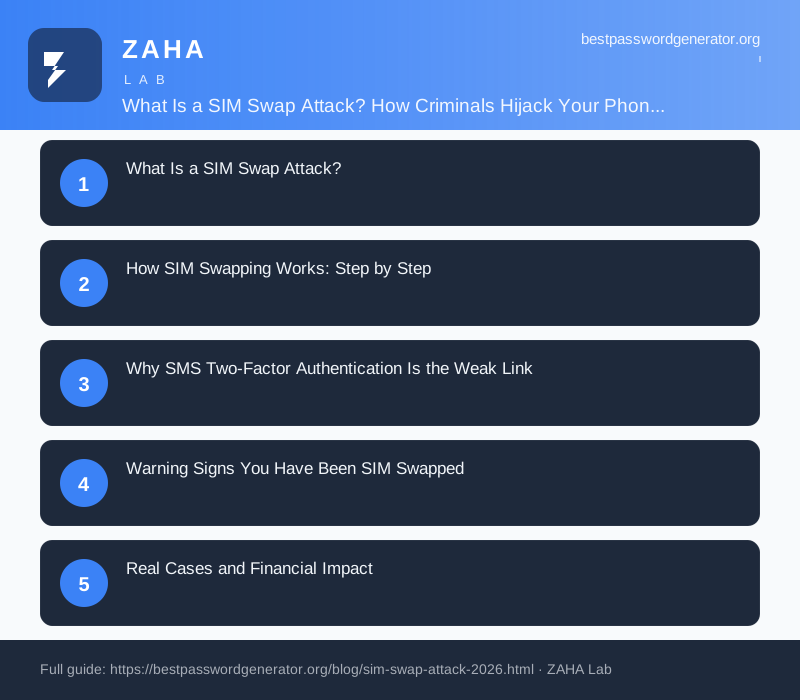
On this page
The FBI received 1,075 SIM swap complaints in 2023 and recorded $48.8 million in adjusted losses from those cases alone. That figure is almost certainly an undercount: most victims never file a federal report. A SIM swap attack does not require hacking your phone, exploiting a software flaw, or even touching your device. It requires a five-minute phone call to your carrier.
A SIM swap attack is a form of account takeover where a criminal impersonates you and convinces your mobile carrier to reassign your phone number to a SIM card they control. Once your number points to their device, every SMS message you would receive goes to them instead: one-time passcodes, password reset links, bank authentication codes.
What Is a SIM Swap Attack?
The word "swap" captures what physically happens: the victim's number is deactivated on the legitimate SIM card in their pocket and activated on a card the attacker holds. The victim loses all cellular service and typically does not know why until the damage is done.
SIM swapping is distinct from a lost or stolen phone. The physical device is irrelevant. The number itself is what attackers want, because it functions as a skeleton key for any account that uses SMS-based authentication.
How SIM Swapping Works: Step by Step
The attack relies on weak identity verification at the carrier level. Here is the standard sequence:
- Research phase. The attacker gathers personal details: full name, date of birth, billing address, last four digits of a Social Security number, and ideally an account PIN. Sources include prior data breaches, public social media, phishing emails, and dark-web data markets.
- Contact the carrier. The attacker calls customer support or visits a retail store, presents the collected data as verification, and claims the victim's phone was lost or damaged. They request a SIM transfer to a "new" device.
- Carrier approves the transfer. If the security questions are answered correctly, the number ports within minutes. Some carriers complete transfers online through account portals, lowering the bar further.
- Number goes live on the attacker's SIM. The victim's phone loses service. All SMS traffic redirects to the attacker's device.
- Account takeover begins. The attacker visits target sites (Gmail, bank, crypto exchange), triggers "forgot password," and receives the reset SMS. New passwords are set before the victim notices anything is wrong.
Insider threats accelerate this process. The FCC and the FBI have both documented cases where carrier employees accepted bribes between $100 and $500 to process fraudulent SIM transfers without any verification at all.
Why SMS Two-Factor Authentication Is the Weak Link
SMS-based one-time passcodes are better than no second factor at all. They block the majority of automated credential stuffing attacks. Against a targeted SIM swap, though, they fail completely.
NIST SP 800-63B Section 5.2.10 classifies SMS OTP as a "restricted authenticator" and states that verifiers offering it "shall assess the risk of an authentication failure" because the public telephone network is not under the verifier's control. NIST's guidance discourages SMS-based authentication for systems handling sensitive personal data.
The problem is not the one-time code itself. The problem is that the code travels over a channel the attacker can seize with a phone call to a carrier help desk.
| Second-factor type | Vulnerable to SIM swap | Vulnerable to phishing | NIST classification |
|---|---|---|---|
| SMS OTP | Yes | Yes | Restricted authenticator |
| TOTP authenticator app | No | Yes (if intercepted in real time) | Acceptable (AAL2) |
| Hardware security key (FIDO2) | No | No | Verifier impersonation resistant (AAL3) |
| Passkey (device-bound) | No | No | Verifier impersonation resistant (AAL3) |
The NCSC UK advises: "SMS-based 2FA provides meaningful protection against bulk, automated attacks. It does not protect against targeted attacks where the adversary can intercept or redirect SMS messages." That is exactly what a SIM swap does.
Warning Signs You Have Been SIM Swapped
Detection is difficult because the attack moves fast and the victim's own phone becomes useless. Watch for these signals:
- No cellular service. Your phone shows "No service" or "SOS only" without explanation. Restarting does not fix it.
- Carrier account activity alerts. An email from your carrier about a SIM change or account update you did not request.
- Locked out of accounts. Password reset emails arriving for accounts you did not trigger, or finding yourself locked out of email or banking.
- Unexpected transactions. Bank notifications or crypto exchange activity appearing via email (since SMS alerts now go to the attacker).
- Social media access lost. Being logged out of all sessions on a major platform simultaneously.
Any one of these on its own could have an innocent explanation. All of them together, especially with no cellular service, is a SIM swap until proved otherwise.
Real Cases and Financial Impact
SIM swapping is not theoretical. Several high-profile incidents have made it concrete:
Jack Dorsey, 2019. The CEO of Twitter had his phone number hijacked via a SIM swap. Attackers used the access to post offensive messages through Twitter's "tweet via SMS" feature. No financial loss was reported, but the case illustrated that account age and fame provide no protection.
$24 million crypto theft, 2019. A California court case involved a group that SIM-swapped victims at AT&T to steal $24 million in cryptocurrency. One attacker was sentenced to 10 years in federal prison under the Computer Fraud and Abuse Act.
FTC 2022 report. The FTC identified "impersonation fraud" including SIM swapping as generating $2.6 billion in reported losses in 2022, making it the fraud category with the highest total consumer losses.
The FBI IC3 2023 Internet Crime Report recorded 1,075 SIM swapping complaints with $48.8 million in losses. The per-victim average of $45,400 reflects how attackers prioritize targets with significant cryptocurrency or brokerage holdings.
How to Protect Yourself Against SIM Swapping
The controls below are ranked from highest to lowest impact. Doing the first three covers the majority of your exposure.
1. Set a carrier account PIN or passphrase
Every major carrier (AT&T, Verizon, T-Mobile) allows you to add a separate account PIN that must be provided before any SIM changes are made. This is distinct from your phone unlock PIN. Go to your carrier's account settings or call customer service and set a random 8-to-10 digit PIN you have not used anywhere else. Store it in a password manager.
2. Request a "port freeze" or SIM lock
Some carriers allow you to place a port-lock on your number, meaning no transfer can proceed without you physically visiting a store with government-issued ID. AT&T calls it "SIM protection," T-Mobile offers "Account Takeover Protection," and Verizon has "Number Lock." Enable whichever your carrier offers.
3. Replace SMS 2FA with an authenticator app or hardware key
For every account that matters (email, banking, crypto, social media), switch from SMS-based two-factor authentication to an authenticator app such as Google Authenticator, Microsoft Authenticator, or Authy. For the highest-value accounts, a FIDO2 hardware key such as a YubiKey provides the strongest protection and is immune to both SIM swapping and phishing.
4. Use a dedicated password manager
SIM swap damage multiplies when victims reuse passwords. If an attacker resets your email password via SMS, they can use that email to reset every other account that shares the same login. Storing unique, randomly generated passwords in a dedicated manager like NordPass means a successful SIM swap only compromises accounts that rely on SMS; accounts with unique passwords and authenticator-app 2FA remain protected.
5. Reduce your digital footprint
Attackers use personal details to pass carrier security checks. Removing your date of birth, home address, and phone number from data broker sites (Spokeo, WhitePages, BeenVerified) makes the research phase harder. Services that automate opt-outs can reduce your exposure across dozens of brokers simultaneously.
6. Use a privacy-oriented email for financial accounts
If your primary email address is publicly associated with your real name and is visible on LinkedIn or a company website, attackers already have a username. Consider a separate email address, unknown to anyone but you, for banking and investment logins.
7. Monitor for breach exposure
Attackers often use breach data to answer carrier security questions. Running periodic breach checks with a service like Kaspersky Premium (which includes dark web monitoring) tells you when your personal data appears in a fresh leak, giving you a chance to update account details before an attacker can exploit them.
What to Do If You Are a Victim
Speed matters. Every minute of delay is more accounts the attacker can compromise. Follow these steps in order:
- Call your carrier immediately from a different phone (a friend's, a landline, a VoIP app on Wi-Fi). Report the fraudulent SIM transfer and ask them to reverse the port and suspend the number.
- Change passwords on email first. Email is the master key to everything else. Use a trusted device on a wired or Wi-Fi connection (not the now-compromised cellular network).
- Revoke active sessions. Most major email, banking, and social platforms let you sign out all other devices. Do this for every critical account immediately after resetting the password.
- Alert your bank. Call the fraud line on the back of your card. Banks can place a temporary freeze and flag account activity.
- File reports. Report to the FTC at reportfraud.ftc.gov and to the FBI's Internet Crime Complaint Center at ic3.gov. If crypto was stolen, report to the FBI's Virtual Assets Unit as well.
- Place a credit freeze. Contact all three bureaus (Equifax, Experian, TransUnion) to freeze your credit, preventing new accounts from being opened in your name while the incident is investigated.
A SIM swap is not the end. Carriers can reverse port-outs, accounts can be recovered, and credit freezes are free under federal law. The faster you act, the less damage accumulates.
Frequently Asked Questions
What is a SIM swap attack?
A SIM swap attack is a form of identity fraud where a criminal impersonates a victim and persuades their mobile carrier to transfer the victim's phone number to a new SIM card the attacker controls. Once the number is ported, the attacker receives all SMS messages and calls intended for the victim, including one-time passcodes used for account logins and password resets.
How do attackers convince a carrier to transfer a SIM?
Attackers use personal information gathered from data breaches, social media, or phishing to answer carrier security questions: last four digits of a Social Security number, billing address, account PIN, or recent call history. Some cases involve insider threats, where corrupt carrier employees process fraudulent transfers for small cash payments.
Does turning off SMS two-factor authentication protect against SIM swapping?
Switching from SMS 2FA to an authenticator app or hardware security key removes the main benefit of SIM swapping. If the attacker cannot intercept OTP codes via SMS, hijacking your number yields far less access. NIST SP 800-63B explicitly classifies SMS-based authentication as a "restricted authenticator" and discourages its use for sensitive accounts.
How quickly can a SIM swap attack happen?
Carrier SIM transfer requests are typically processed within minutes to a few hours. In documented attack cases, victims lost access to their phone numbers and had their accounts drained within 30 minutes of the fraudulent port completing. Speed is exactly why early detection is so difficult.
What should I do immediately if I suspect a SIM swap?
Call your carrier from a different device immediately and report the fraudulent transfer. Ask them to suspend the number and reverse the port. Then change passwords on your email and banking accounts from a trusted device. File a report with the FTC at reportfraud.ftc.gov and your local FBI field office via ic3.gov.


