Password Generator vs Password Manager: When to Use Each
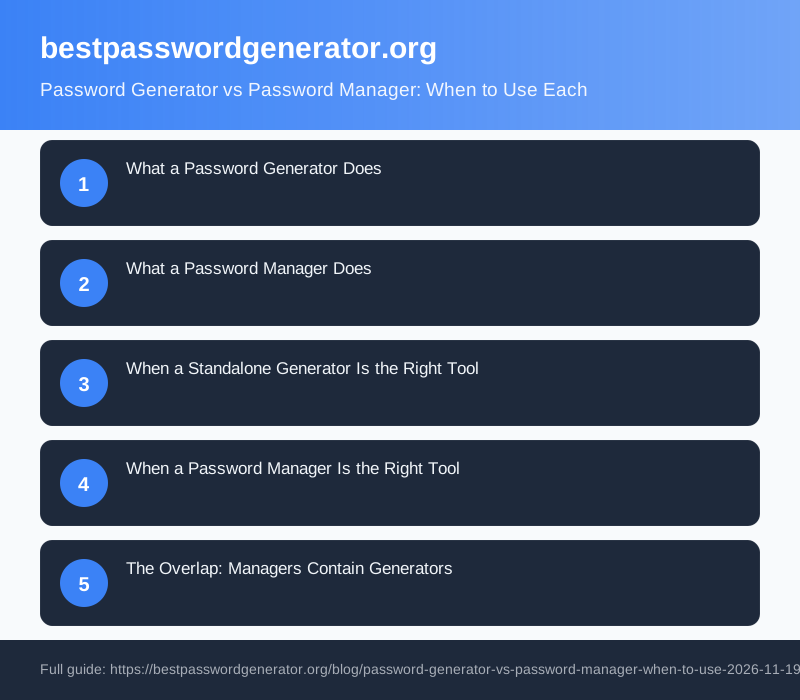
Most people reuse the same few passwords across dozens of online accounts. Password generator vs password manager: when to use which comes down to this: a generator creates strong passwords on demand, a manager stores and fills them in automatically. For anyone with more than a handful of accounts, a password manager is the better long-term choice, because it already contains a generator.
What a Password Generator Does
A password generator is a single-purpose tool. You ask it for a password, it produces one. That is the complete feature set. A good generator, such as the one on this site, lets you set the length, choose whether to include symbols, exclude visually similar characters, and copy the result to your clipboard in one click.
The limitation appears the moment you close the tab. The generator has no memory. That 20-character random string is gone unless you store it somewhere. A sticky note, a text file, a spreadsheet, the browser's built-in saved passwords: where it lands determines whether the strong start translates into lasting security. For most of those destinations, it does not.
What a Password Manager Does
A password manager is a vault for every credential you own. It sits behind one master password, or a biometric such as Face ID, and it holds usernames and passwords for every site you use. Most managers autofill login forms, so you never type a stored password manually again.
Every major manager includes a built-in generator. The workflow is: visit a new site, let the manager generate a strong password, save it to the vault in the same step. Creation and storage happen together. That single change is why managers are so effective. Without autofill, using a different 20-character password for each account is impractical in real life. With autofill, it becomes the default.
Managers also audit your vault continuously. They flag reused passwords, passwords that have appeared in published breach data, and passwords that fall below a minimum complexity threshold. Bitwarden is free and open-source, with a paid premium tier for advanced features. 1Password and Dashlane are paid alternatives with polished cross-platform apps and family sharing options.
When a Standalone Generator Is the Right Tool
There are specific situations where a standalone generator is the practical choice.
You are on a device that is not yours. A library computer or a hotel kiosk is not the right place to open up your password vault. A quick generator visit, combined with writing the new password on paper until you can add it to your vault later, is a reasonable workaround.
You are creating a credential for someone else. Generating a temporary password for a contractor, a family member setting up a new service, or a one-off system access is simpler with a generator than by opening your vault and creating a shared entry.
You are testing character sets. Developers and security professionals sometimes need passwords with very specific properties for scripts, test environments, or compliance checks. A standalone generator with adjustable rules is quicker for that than navigating manager settings.
Outside those cases, a standalone generator creates the problem it was designed to solve: you end up with a strong password and no secure place to keep it.
When a Password Manager Is the Right Tool
For everyday use across multiple accounts, a password manager covers everything a generator handles and extends further in every direction.
You have multiple accounts. Ten is enough to justify a manager. Fifty or a hundred makes the case clear. The manager generates, stores, and fills passwords across all of them without you needing to remember any single credential.
You want to stop reusing passwords. A manager makes this practical at scale. Without autofill, maintaining a unique strong password for every account requires either a remarkable memory or constant manual effort. With autofill, strong unique passwords stop being the exception and start being the default.
You want breach alerts. When a service you use appears in a data breach, a good manager flags the affected credentials and prompts a change. No standalone generator can do this, because the generator has no record of where its output went.
You switch between devices regularly. Generate a password on your desktop and it is immediately accessible on your phone and tablet without copying, emailing to yourself, or retyping a 24-character string.
The Overlap: Managers Contain Generators
This point settles most of the debate. A password manager does not compete with a password generator. It contains one. If you already use a manager daily, you have no practical need for a separate generator tool during routine account creation. They are not really alternatives for most people. They are the same feature at different scopes: one creates a password right now, the other creates and remembers every password, forever.
A standalone generator is most useful when your manager is unavailable: a foreign device, a restricted network, or a one-time task where installing an app is not worth the effort.
Pairing Either Tool with a Hardware Key
Whether you use a generator, a manager, or both, a hardware security key significantly reduces the damage a compromised password can cause. The YubiKey 5 NFC plugs into USB or taps over NFC to confirm your identity physically. A stolen password alone is not enough to get in if an attacker also needs the physical key. It works alongside your password manager rather than replacing any part of it.
Making the Decision
One account to protect and no manager yet? Use this site's generator now, then set up a free manager such as Bitwarden before your account count grows any further.
Multiple accounts with reused passwords? A manager is the fix. Import what you have, generate new strong passwords for your most sensitive accounts first, and work outward from there.
Already using a manager every day? The built-in generator is sufficient. Visit a standalone tool only for the edge cases above: a foreign device, a third-party credential, or a specific test scenario.
FAQ
What is the main difference between a password generator and a password manager?
A password generator creates a strong random password on demand but stores nothing. A password manager stores every credential you own behind one master password, fills login forms automatically, and includes its own built-in generator. The generator solves the creation problem. The manager solves creation, storage, and retrieval together.
Can I use a password generator without a password manager?
Yes, but the security benefit is limited unless you have a secure destination for the result. A generated password dropped into an unencrypted text file or a standard browser saved-passwords list offers little real protection. For occasional one-off use on a foreign device it is fine. For managing accounts day to day, you need a manager to hold the output.
Are password managers safe?
Reputable managers use end-to-end encryption and a zero-knowledge architecture, meaning the company cannot read your stored passwords even if its servers are breached. Your master password is the key: choose a strong one and enable two-factor authentication on the manager itself. Services such as Bitwarden have published the results of independent third-party security audits, which is a good sign when evaluating any provider.
Does a password manager generate passwords for me?
Yes. Every major password manager includes a built-in generator. When you create a new account on a website, the manager offers to generate a strong password and save it to your vault immediately. You do not need a separate tool for routine password creation if you already use a manager.
What happens if I forget my password manager master password?
It depends on the service. Some managers provide account recovery through a printed emergency kit or a trusted contact you designate in advance. Others, particularly those with strict zero-knowledge designs, cannot recover the master password at all, which means the vault becomes permanently inaccessible. Store your master password in a secure physical location, such as a written note kept at home in a safe place.