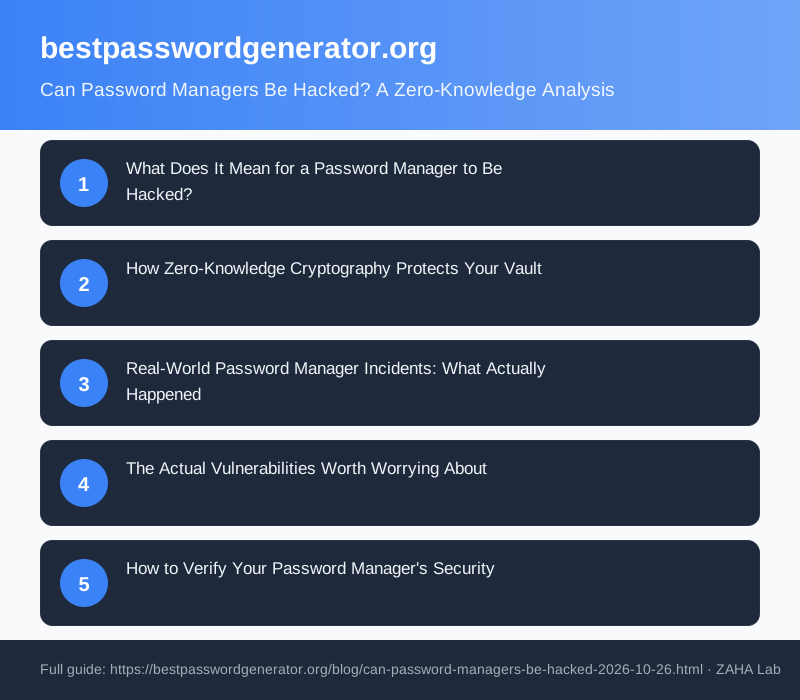
Password managers can theoretically be compromised, but modern zero-knowledge architectures make practical attacks extraordinarily difficult. We'll explain the cryptographic mechanisms that protect your vault, examine what "being hacked" actually means in this context, and walk through real incidents that teach us about true risk.
What Does It Mean for a Password Manager to Be Hacked?
When people ask if password managers can be hacked, they usually mean one of three scenarios: someone gains access to their encrypted vault, the company's servers are breached, or a vulnerability in the software itself is exploited.
The critical distinction is this: a breach of a password manager's servers is not the same as a breach of your passwords. Even if hackers downloaded every encrypted vault from the company's databases tomorrow, they would face a fundamentally different problem. They would have ciphertext, not plaintext. Decrypting it without your master password is the cryptographic equivalent of deriving your private key from a public blockchain address: theoretically possible only through brute force that would take longer than the universe has existed.
How Zero-Knowledge Cryptography Protects Your Vault
Zero-knowledge proofs are a category of cryptographic protocols where one party (you) proves knowledge of a secret to another party (the password manager service) without ever revealing that secret. This is the architectural principle behind the security of modern password managers like Bitwarden, 1Password, and Dashlane.
Here's the mechanism. Your master password never travels to the company's servers. Instead, it is used locally on your device to encrypt your entire vault using AES-256 encryption, the same standard used by governments and militaries. Your device then derives a unique key from your master password using a key-stretching function, typically PBKDF2 or Argon2, which makes brute-force attacks exponentially harder. The password manager company stores only your encrypted vault and a verification hash. Even if they wanted to access your passwords, they cryptographically cannot.
This architecture reflects research from institutions including ETH Zurich, where cryptographers have long explored the limits of zero-knowledge systems. The principle is straightforward: the server should never have enough information to decrypt user data. A properly designed password manager keeps your secrets secret at every architectural layer.
Real-World Password Manager Incidents: What Actually Happened
Understanding actual security incidents reveals what threats password managers face and how they respond.
LastPass (2022): LastPass disclosed a breach in which attackers accessed encrypted vaults after gaining initial access through a contractor's home network. The company confirmed that user vault contents remained encrypted and that master passwords were never exposed. However, the incident raised questions about the company's broader security practices. Attackers did obtain encrypted vault backups, but the zero-knowledge architecture held: reported attempts to decrypt vaults failed without the master password.
Dashlane (2015): Dashlane revealed that a database containing salted, hashed master passwords had been compromised. No plaintext passwords were leaked. The company had already implemented key-stretching functions (Argon2), which meant cracking hashes would require computational resources that made the attack impractical.
Both cases demonstrate the same principle: the architecture worked. Encrypted vaults remained secure. The vulnerability, where one existed, was typically elsewhere: inadequate access controls on company infrastructure, or weaker protections for non-vault data.
The Actual Vulnerabilities Worth Worrying About
Password manager breaches are not myths, but the realistic attack vectors differ from what most users fear.
Malware on your device: If your computer is infected with keylogger malware, a password manager cannot protect you. The malware sees what you type before encryption happens. This is not a password manager vulnerability. It is a device security problem.
Master password weakness: A strong password manager is only as secure as your master password. If you use "password123" as your master, an attacker with an offline copy of your encrypted vault could crack it in seconds using a GPU cluster. The zero-knowledge architecture protects against server-side breaches, not against poor password practices.
Browser extension exploits: Password manager browser extensions have occasionally contained vulnerabilities that allowed websites to extract stored credentials. These are serious but rare and are typically patched rapidly. Reviewing extension permissions and keeping software updated addresses this risk.
Phishing and social engineering: No technology protects you from willingly handing over your master password to a phishing email. This is human risk, not cryptographic risk.
How to Verify Your Password Manager's Security
Not all password managers implement zero-knowledge correctly. If you are evaluating a service, look for these markers.
Check whether the company has published an independent security audit. Reputable password managers commission third-party reviews from firms like Cure53 or Trail of Bits. Read the audit report, not just the marketing summary. Look for whether the audit was recent and covered end-to-end encryption and zero-knowledge claims.
Check whether the code is open source. Bitwarden, KeePass, and other open-source managers allow independent cryptographers to review the actual implementation. This doesn't guarantee perfect security, but it makes large-scale backdoors much harder to hide.
Ask whether the company has a published security policy and incident response process. Transparency about breaches and how they were handled is a stronger signal than claiming perfect security (which no company actually has).
Two Tools for Additional Protection
While your password manager's encryption provides the core protection, two complementary tools strengthen your overall security posture.
Hardware security keys like YubiKey add a second authentication factor that cannot be phished or compromised remotely. If a password manager service is breached, a hardware key means attackers cannot access your account even with your master password.
Offline password vaults managed through tools like KeePass provide an additional layer of control for your most critical passwords. You maintain complete custody of the encrypted file, stored on an external drive or encrypted cloud storage.
FAQ
Has any password manager's encryption ever been cracked?
No password manager with proper zero-knowledge architecture has had its encryption cracked at scale. LastPass, 1Password, Dashlane, and others have experienced server breaches, but in each case the encryption remained intact. Attackers obtained ciphertext, not plaintext. This is the distinction between a breach and a compromise of user data.
What's the difference between a password manager being hacked and my passwords being stolen?
A password manager breach means attackers accessed the company's systems. A password theft means your actual passwords were exposed. The zero-knowledge architecture means these are almost never the same event. A breach can occur without password theft if encryption is properly implemented.
Why is zero-knowledge cryptography important for password managers?
Zero-knowledge cryptography makes sure the password manager company itself cannot access your vault. This removes the company from being a target for your passwords. Even if attackers compromise the company's entire infrastructure, they cannot decrypt your vault without your master password, which the company never sees or stores.
Is a password manager safer than using the same password everywhere?
Yes, substantially. A password manager lets you use unique, strong passwords for every service. If one service is breached, only that account is at risk. If you reuse passwords, a breach at any service puts all your accounts in danger. This is a far greater risk than password manager vulnerabilities.
Should I use an offline password manager like KeePass instead?
KeePass offers full ownership of your vault, which appeals to security-conscious users. The tradeoff is that you must manage backups, synchronisation across devices, and security updates yourself. For most users, a zero-knowledge cloud password manager with a strong master password offers better practical security because updates happen automatically and breaches are rare. For highly sensitive passwords, a hybrid approach (cloud manager plus offline vault) is reasonable.
The Final Word
Password managers can be hacked in the sense that their servers can be breached. This happened with LastPass, and it will happen again somewhere in the industry. But the zero-knowledge cryptographic architecture means that "hacked" does not equal "passwords stolen." Your vault remains encrypted behind your master password, unknown even to the company that stored it. This is not perfect security. Perfect security does not exist. But it is robust security that has held against real attacks. For most users, a password manager with zero-knowledge architecture and a strong master password is far more secure than remembering multiple passwords or reusing the same password across sites.