🔑 Bitwarden vs 1Password 2026, Which Password Manager Is Safer?
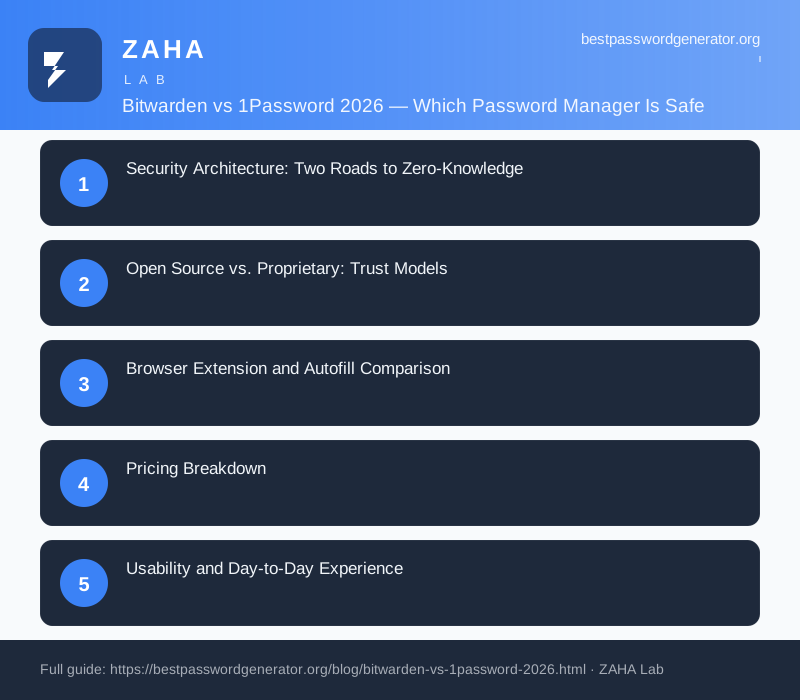
Security Architecture: Two Roads to Zero-Knowledge
Both Bitwarden and 1Password are built on a zero-knowledge, end-to-end encrypted foundation, meaning your master password never leaves your device and the providers cannot read your stored data even if compelled to. The differences lie in the details of how each vendor hardens that model. Bitwarden encrypts your vault with AES-256, derives your key using PBKDF2-SHA256 (with a configurable iteration count) or the more memory-hard Argon2id, and authenticates every request against a server that only ever sees ciphertext. Because the entire codebase is open source, Bitwarden’s cryptographic implementation has been audited publicly multiple times, and anyone with the expertise can inspect exactly how keys are handled.
1Password takes a different, proprietary approach centered on its Secret Key system. In addition to your master password, 1Password generates a 128-bit Secret Key stored locally on each enrolled device. Your account encryption key is derived from both factors combined, which means that even if an attacker somehow obtained your master password, they still could not decrypt your vault without also possessing the Secret Key from one of your devices. This effectively neutralizes server-side brute-force attacks and is one of the strongest arguments in 1Password’s favor. The trade-off is that the Secret Key adds a step when setting up a new device, and you must safeguard it carefully, ideally by printing the rescue kit PDF that 1Password generates during setup and storing it in a secure location.
Both services also support hardware security key integration (FIDO2/WebAuthn) for 2FA, so even if someone obtains your master password, they would still need your physical YubiKey or passkey to sign in on an unrecognized device. In practice, this means both Bitwarden and 1Password meet the highest bar for consumer password manager security, and the choice between them comes down more to trust model and convenience than raw cryptographic strength.
Open Source vs. Proprietary: Trust Models
The philosophical divide between these two products matters more than many users realize. Bitwarden’s open-source nature means its security claims are verifiable rather than asserted. You can read the source, compile it yourself, or even self-host the entire backend on your own infrastructure using Vaultwarden or the official server, giving privacy-conscious users and organizations complete control over where their data lives. 1Password is closed source and cloud-only, so you are placing trust in the company’s reputation, its independent SOC 2 audits, and its published security whitepaper rather than in code you can inspect. Both approaches are legitimate; the question is whether you value transparency and self-hosting (Bitwarden) or a tightly integrated, professionally polished managed service (1Password).
It is worth noting that 1Password underwent a significant architectural shift to version 8, moving from a locally-managed vault model to a fully cloud-based infrastructure. This change was controversial among long-time users who valued the previous offline capability. Bitwarden has avoided such pivots, maintaining a consistent architecture that supports both cloud and self-hosted deployment. For organizations with strict compliance requirements such as HIPAA, GDPR, or FedRAMP, Bitwarden's self-hosting option can be a decisive advantage, while 1Password's cloud-only model simplifies maintenance at the cost of reduced control.
Browser Extension and Autofill Comparison
The browser extension is where you will interact with your password manager most frequently, so the quality of that experience matters. 1Password's browser extension is widely considered the gold standard for autofill reliability. It detects login fields accurately, fills credentials instantly, and handles multi-page login forms (common in banking and enterprise apps) better than most competitors. The inline menu that appears when you click into a username or password field is fast, well-designed, and supports both TOTP codes and passkeys without extra clicks.
Bitwarden's browser extension has improved significantly in 2026 and now offers comparable autofill accuracy for standard logins. It lags slightly on complex multi-step forms, but the gap has narrowed. Bitwarden's extension also includes a built-in password generator that lets you customize length, character sets, and even passphrase generation, useful when you are signing up for a new service and need a strong password immediately. Both extensions are available for Chrome, Firefox, Edge, Safari, and Brave, so platform compatibility is not a differentiator.
Pricing Breakdown
Pricing is where the two diverge most sharply, and it is often the deciding factor for individuals and families.
- Bitwarden Free: Genuinely usable for most people, unlimited passwords, unlimited devices, and core sync at no cost. Few competitors match this.
- Bitwarden Premium: Around $10 per year, adding encrypted file attachments, an integrated TOTP authenticator, emergency access, and security health reports.
- Bitwarden Families: Roughly $40 per year for up to six users with shared collections.
- 1Password Individual: About $36 per year, with no free tier beyond a trial.
- 1Password Families: Approximately $60 per year for up to five members, with easy guest sharing and per-member recovery.
For pure value, Bitwarden is the clear winner, its paid tier costs roughly what 1Password charges per month. 1Password justifies its premium with a more refined experience and features like Travel Mode, which temporarily removes sensitive vaults from your devices when crossing borders. If budget is your primary concern, Bitwarden’s free tier is genuinely usable for years without ever paying a cent, whereas 1Password locks its full feature set behind a subscription.
Usability and Day-to-Day Experience
1Password has long set the benchmark for polish. Its desktop apps, browser extensions, and mobile clients feel cohesive, fast, and thoughtfully designed, with standout features like Watchtower (breach and weak-password monitoring) and smooth passkey support. Onboarding is friendly, autofill is reliable, and the interface rarely gets in your way. For users who want everything to “just work” without configuration, 1Password is hard to beat.
Bitwarden’s apps are functional, stable, and steadily improving, but historically felt slightly more utilitarian than 1Password’s. Recent redesigns have narrowed that gap considerably. Power users appreciate Bitwarden’s flexibility, CLI tooling, and self-hosting options, while casual users may find 1Password’s guardrails more reassuring. Both handle passkeys, autofill, and cross-platform sync competently in 2026.
One area where Bitwarden has an edge is the breadth of platform support. Bitwarden offers dedicated apps for Windows, macOS, Linux, iOS, Android, and even command-line interfaces for developers and IT administrators. There is also a web vault accessible from any browser. 1Password covers the same major platforms but lacks a native Linux desktop app (it offers a browser-only experience on Linux), which may matter if you use Linux as your daily driver.
Passkey Support in 2026
Passkeys, the passwordless authentication standard built on FIDO2/WebAuthn, have become a mainstream feature in 2026, and both password managers have integrated them alongside traditional passwords. Bitwarden lets you store passkeys in your vault alongside your existing credentials, and you can use them for passwordless login on supported websites. The implementation is straightforward: save a passkey when prompted by a website and retrieve it later via biometric authentication on your device.
1Password goes a step further with its passkey management interface, which surfaces all your saved passkeys in a dedicated section of the app, complete with the websites they are associated with and the last time they were used. 1Password’s passkey autofill on iOS and macOS is particularly smooth, integrating with the system-level credential provider so passkeys appear in the same autofill prompt as passwords. Both managers handle the core task reliably, but 1Password’s implementation feels more polished for users who are actively adopting passkeys across many services.
Recommendations by User Type
- Budget-conscious individuals: Bitwarden. The free tier covers the essentials, and Premium is almost trivially cheap at $10 for an entire year of advanced features including TOTP and file attachments.
- Privacy advocates and self-hosters: Bitwarden, thanks to open-source transparency and the option to host your own server on Docker or a Raspberry Pi using Vaultwarden.
- Users who prioritize polish and support: 1Password, for its superior interface, Watchtower breach monitoring, and Travel Mode that lets you travel safely across borders.
- Families and small teams: Either works well; choose Bitwarden for cost ($40/year for six) or 1Password for ease of sharing and per-member recovery ($60/year for five).
- Enterprises: Both offer robust business tiers: Bitwarden’s self-hosting option and open-source audits appeal to regulated industries, while 1Password’s integration with Okta, Azure AD, and SCIM provisioning streamlines enterprise onboarding.
Migrating Between Password Managers
If you are currently using a different password manager and considering a switch, both Bitwarden and 1Password offer import tools that make the process relatively painless. Bitwarden supports importing from over 50 different services including LastPass, Dashlane, KeePass, and even 1Password itself. The import process typically takes less than five minutes, after which you just verify that your vault items appear correctly and update your browser extension.
1Password offers its own import tool for migrating from Bitwarden, LastPass, and other major managers. The key difference is that 1Password’s Secret Key requirement means you will need to set up each new device individually, whereas Bitwarden allows you to log in with just your email and master password on any device. Plan for an extra 30 minutes when moving to 1Password to account for enrolling each device with the Secret Key.
Ultimately, you cannot go wrong with either. Choose Bitwarden if value, transparency, and control top your list; choose 1Password if a frictionless, premium experience is worth the higher price. Whichever you pick, simply using a reputable password manager already puts you far ahead of the majority of internet users, the biggest security mistake is still reusing passwords across sites, and either of these tools eliminates that risk entirely.
If you are still evaluating your options, NordPass is another excellent choice worth considering, it offers a polished user experience, strong security architecture, and affordable family plans.
{"type":"result","subtype":"success","is_error":true,"api_error_status":401,"duration_ms":706,"duration_api_ms":0,"num_turns":1,"result":"Invalid API key · Fix external API key","stop_reason":"stop_sequence","session_id":"1bacda7a-5e80-4fbd-b948-b34621b08772","total_cost_usd":0,"usage":{"input_tokens":0,"cache_creation_input_tokens":0,"cache_read_input_tokens":0,"output_tokens":0,"server_tool_use":{"web_search_requests":0,"web_fetch_requests":0},"service_tier":"standard","cache_creation":{"ephemeral_1h_input_tokens":0,"ephemeral_5m_input_tokens":0},"inference_geo":"","iterations":[],"speed":"standard"},"modelUsage":{},"permission_denials":[],"terminal_reason":"completed","fast_mode_state":"off","uuid":"f7f4db42-46e4-4af0-a18f-71cba1adc843"}

