⚖️ BestPasswordGenerator.org vs FreeStrongPassword.com: Which Free Generator Is Right for You in 2026?
A 2024 Security.org survey found that 65% of people reuse the same password across multiple accounts. When asked why they don’t use a generator, the most common reason wasn’t laziness — it was that the tools felt too technical to finish. BestPasswordGenerator.org and FreeStrongPassword.com both solve that problem, but in opposite directions: BPG gives depth and real-time strength scoring to users who want to understand what they’re generating; FreeStrongPassword.com wraps the same cryptographic core in a step-by-step wizard designed for people who have never touched a password generator before. Both are free, both are entirely client-side, and both produce passwords that are practically uncrackable at any reasonable length.
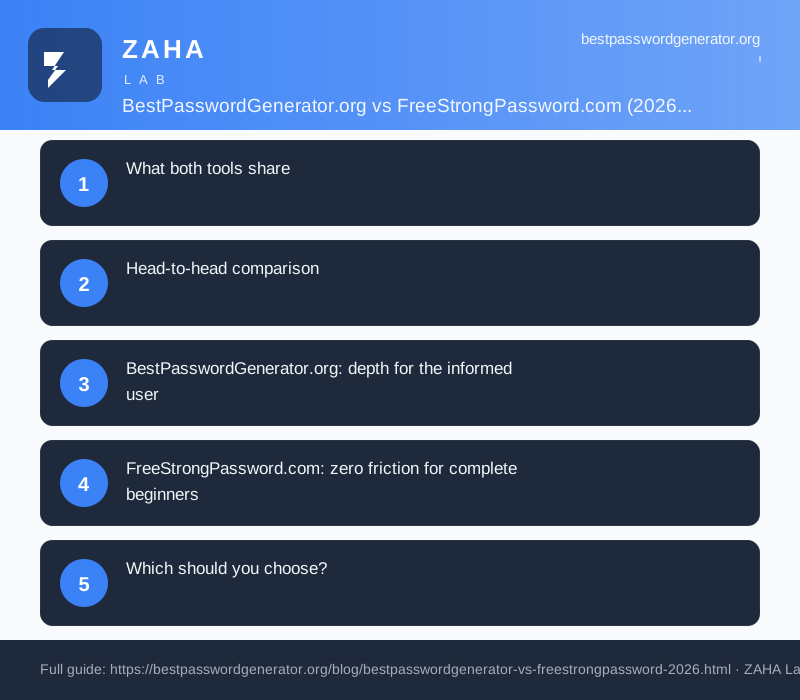
What both tools share
The foundation matters more than the interface — and both tools get the foundation right. Regardless of which site you use:
- Generation is 100% client-side. Passwords are assembled inside your browser using the Web Crypto API. No data leaves your device, reaches a server, or appears in a log.
- Both use
crypto.getRandomValues(). This is the browser’s cryptographically secure pseudorandom number generator (CSPRNG), not the weakMath.random()function. It’s the correct source for unpredictable, truly random output. - No account required. Open the page, generate, copy. No email, no signup, no paywalled features surrounding the core tool.
- Both include a passphrase mode. Each site can generate a sequence of random words if you prefer a credential that is easier to type on mobile or possible to memorise.
- Both are free. The generators and supporting content are available without payment or a premium tier.
Because the cryptographic core is identical, a 20-character mixed-character password carries the same entropy — roughly 128 bits — regardless of which site generated it. That figure is beyond the practical reach of any current brute-force hardware. The meaningful differences are in what surrounds that core: how much guidance you receive, how the interface presents choices, and who the tool was designed for.
Head-to-head comparison
| Feature | BestPasswordGenerator.org | FreeStrongPassword.com |
|---|---|---|
| Generation method | Client-side CSPRNG | Client-side CSPRNG |
| Data transmitted | None | None |
| Interface style | Power-user controls, live metrics | Guided wizard + quick mode tabs |
| Real-time strength meter | Yes — entropy score + rating | Yes — plain-English description |
| Step-by-step wizard | No (direct controls) | Yes — 3-step guided flow |
| Passphrase mode | Yes | Yes |
| NIST/NCSC editorial guidance | Extensive blog + inline tips | Plain-English descriptions per step |
| Character set customisation | Full (uppercase, lowercase, numbers, symbols, exclusions) | Yes — presented as beginner choices |
| Target user | Everyday personal & small-business users who want depth | Complete beginners, families, non-technical users |
| Price | Free | Free |
BestPasswordGenerator.org: depth for the informed user
BestPasswordGenerator.org is designed around the idea that understanding why a password is strong makes you less likely to undermine it later. The most distinctive feature is the real-time entropy meter: every change to length or character set instantly updates an entropy estimate and a plain-language strength rating. You can watch exactly why moving from 12 to 20 characters increases cracking resistance from “hours” to “geological timescales.” That feedback loop teaches good habits in seconds — something a wizard that hides the maths can’t do.
The editorial layer is genuinely useful. The site’s blog and inline guidance follow NIST SP 800-63B and NCSC guidance rather than outdated advice. You won’t find recommendations to rotate passwords every 90 days, add a capital letter to a dictionary word, or use “complexity rules” that produce predictable patterns. Instead the guidance centres on length, randomness, non-reuse across accounts, and the value of a dedicated password manager. For a user who wants to understand the reasoning behind modern password practice — not just a generated string — that context is the most valuable part of the site.
Practically, BestPasswordGenerator.org handles the awkward edge cases that most everyday users eventually hit: sites with a maximum character limit, systems that forbid specific symbols, or logins that demand at least one of every character class. The character-set controls make it straightforward to satisfy any combination of those constraints while still generating something genuinely random. The passphrase option is equally complete: if the destination account allows it, a five-word random passphrase is both more memorable and easier to type accurately on a phone than a 24-character mixed-character string.
The tool is not intimidating — it’s approachable for anyone willing to spend thirty seconds engaging with it. But it does assume you’re willing to look at a strength score and interpret what it means. For users who would rather not make any technical decisions at all, that assumption is the friction point FreeStrongPassword.com removes entirely.
FreeStrongPassword.com: zero friction for complete beginners
FreeStrongPassword.com starts from a different premise: the biggest barrier to using a password generator is not lack of security knowledge, it’s interface anxiety. Its solution is a three-step guided wizard that presents every decision as a plain-English question — “How long should your password be?” with a slider and a brief explanation of what each length means — rather than a set of technical toggles to interpret.
The wizard walks through length, character-type selection, and output format (random characters or passphrase) in sequence, explaining each choice before asking you to make it. At the end you get a generated password and a strength description written in plain English, not a raw entropy figure. For a user who has never seen the word “entropy” in a security context, “This password would take billions of years to crack” conveys the same practical information more clearly than “128 bits.”
There are also two alternative entry points beyond the wizard: a Quick Random Generator tab for users who know exactly what they want and just need a fast output, and a Passphrase Generator tab for anyone who wants a wordlist-based credential. These tabs mean experienced users are not forced through the guided flow — the wizard is the default, not the only path.
The underlying security is identical to BestPasswordGenerator.org: crypto.getRandomValues(), no server transmission, no account required. The difference is purely in presentation. FreeStrongPassword.com is the tool to hand to a parent setting up a new bank account, a teenager creating their first email password, or anyone who has ever abandoned a password generator halfway through because the controls felt overwhelming. The plain-English descriptions at every step ensure that even if a user doesn’t understand cryptography, they leave with a credential that does the job.
Which should you choose?
The right answer depends on who will be using the tool, not which tool is objectively superior. Both produce equally strong output. The question is what kind of guidance the user wants alongside it.
- You want to understand strength and entropy → BestPasswordGenerator.org. The real-time meter, NIST-aligned content, and full character controls give you insight alongside the generated credential.
- You find security tools intimidating or technical → FreeStrongPassword.com. The guided wizard removes all ambiguity and walks you through every choice in plain English, no security background required.
- You’re recommending a generator to a non-technical family member → FreeStrongPassword.com. The wizard’s step-by-step format removes the most common reasons people abandon generators before finishing.
- You need to match a site’s specific complexity rules → BestPasswordGenerator.org. The character-set controls and live strength feedback make it easier to satisfy unusual requirements without guessing.
- You want both on hand → Bookmark both. Use BestPasswordGenerator.org when you want to see what you’re generating; use FreeStrongPassword.com when you need to walk someone else through the process.
There is no wrong choice when both tools use the same cryptographic foundation. Either site produces a password that is genuinely secure. The comparison is about who generates it and what they need to feel confident doing so.
The storage problem neither tool solves alone
Generating a strong password is only half the job. The other half is storing it in a way that doesn’t undo the security of the generation. If you create a 24-character random password and then write it in a sticky note, save it in a plain-text file, or — most commonly — reuse it across multiple accounts to avoid remembering it, the strength of the generated credential becomes irrelevant. Credential stuffing attacks succeed precisely because strong passwords get reused.
A dedicated password manager closes that loop. A tool like NordPass stores every credential in an encrypted vault behind XChaCha20 encryption, syncs it across your devices automatically, and autofills it only on the correct domain — which also defeats most phishing attacks that rely on you typing your password into a convincing-looking fake page. It also monitors your saved credentials against known breach databases and alerts you if any of them appear. Use BestPasswordGenerator.org or FreeStrongPassword.com to create; use NordPass to keep.
If you want additional protection against the malware layer — infostealers that quietly harvest credentials from your browser storage, even behind a manager — a security suite like Kaspersky Premium adds anti-malware scanning and dark-web monitoring on top. Many credential leaks in 2026 originate not from corporate breaches but from infostealer malware silently reading browser-stored data on an already-compromised device. A generator cannot protect against that; a layered security approach can.
The bottom line
BestPasswordGenerator.org and FreeStrongPassword.com share the same secure, client-side foundation and produce equally strong output. The decision comes down entirely to experience level and what kind of guidance you want alongside the generated password. Choose BestPasswordGenerator.org if you want real-time entropy feedback, NIST-aligned context, and fine-grained character controls. Choose FreeStrongPassword.com if you or someone you’re helping needs a guided, plain-English walkthrough that removes every technical decision from the process. Then use a password manager to store whatever you generate — because a strong password only protects you if the place you keep it is equally well secured.
Frequently asked questions
Is BestPasswordGenerator.org or FreeStrongPassword.com more secure?
Both are equally secure at the generation level. Each uses crypto.getRandomValues() and transmits nothing to any server. The difference is experience, not security: BestPasswordGenerator.org shows live entropy scores and NIST-aligned guidance; FreeStrongPassword.com wraps the same core in a plain-English guided wizard for complete beginners.
Does FreeStrongPassword.com send my password to a server?
No. Like BestPasswordGenerator.org, all generation happens entirely in your browser using the Web Crypto API. Nothing is transmitted externally. Verify it yourself by opening Developer Tools, going to the Network tab, and generating a password — you will see zero outbound requests during generation.
Which tool should I recommend to a non-technical family member?
FreeStrongPassword.com. Its three-step guided wizard presents every decision in plain English — what length to pick, which character types to include — without requiring any security knowledge. It was explicitly designed for users who find password generators confusing or intimidating. BestPasswordGenerator.org suits users who want to see and understand the strength metrics.
Do both tools support passphrases?
Yes. Both BestPasswordGenerator.org and FreeStrongPassword.com include a passphrase mode that generates a sequence of random words. Passphrases are easier to type on mobile and easier to memorise when you cannot paste a credential. Both sites select words using the same cryptographically secure source as character-based passwords.
Do I still need a password manager if I use a free generator?
Yes. A generator creates a strong credential. A password manager stores it in an encrypted vault, syncs it across devices, autofills it only on the correct domain (defeating many phishing attacks), and alerts you when it appears in a known breach. NCSC and NIST guidance both recommend a dedicated password manager alongside any generator — generation and storage solve different problems.